How to Fill Out Check-Mig Colombia Step by Step
Knowing how to fill out Check-Mig correctly is the difference between a smooth border crossing and a long line at the airport. In this guide we walk you through every field, from the moment you open the Migración Colombia form to the moment you save your confirmation. No jargon, just clear examples for travelers.
In 30 seconds: Gather your passport, flight details, and accommodation. Open the official form within the 72 hours before travel, choose entry or exit, type your details exactly as they appear on your passport, review every field, and submit. Save the confirmation that lands in your inbox.
Before You Start: Get Ready in 2 Minutes
The most common mistake isn't typing something wrong; it's starting without your information in front of you. The official system has session time limits, so hunting for documents halfway through can cause the form to time out.
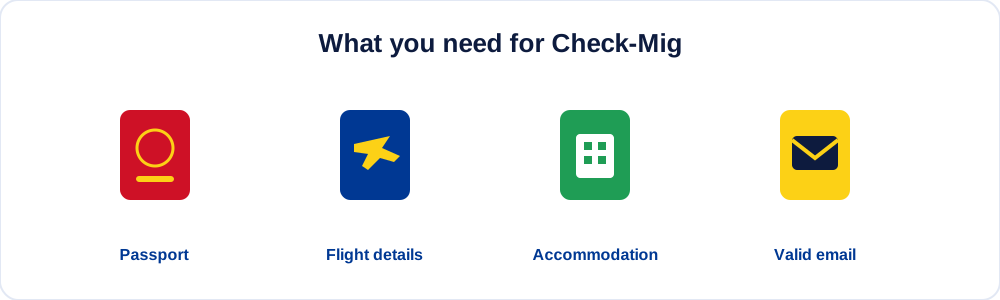
Keep these items on hand before you touch a single key:
- Valid passport (or travel document): number, issuing country, and dates.
- Boarding pass or booking: airline, flight number, and exact date.
- Accommodation: name and address of the hotel, hostel, or home where you'll stay.
- An email address you check often.
- One form per person: if you travel as a family, repeat the process for each.
If you're still unsure which documents you need, first check our guide on Check-Mig requirements and documents, where we break down each case, including children and land crossings.
Quick summary: Gather your passport, flight details, accommodation, and email before opening the form. One registration per traveler.
Step 1: Access the Official Form
Open the Migración Colombia site in your phone or computer browser. The process is 100% no-cost on the official Migración Colombia website. You don't need to download any app or visit an office.
Before you continue, check that you're inside the 72-hour window before your trip. If you try earlier, the system won't let you. You'll find all the timing details in our guide on when to complete Check-Mig.
Quick summary: Open the no-cost, official website within the 72 hours before travel.
Step 2: Choose Your Movement Type (Entry or Exit)
The form first asks whether you're entering Colombia or leaving the country. This is a critical point: each leg of your journey needs its own registration.
- Flying into Bogotá, Medellín, or Cartagena from abroad? Select entry.
- Leaving Colombia for another country? Select exit.
- Round trip? You'll complete two separate forms, one per direction, each within its own 72-hour window.
Getting this wrong is one of the common Check-Mig mistakes that forces travelers to redo the form at the airport.
Quick summary: Select entry or exit for each leg. One form per direction of travel.
Step 3: Complete Your Personal Details
This is where you need the most care. Copy, character by character, what appears on the data page of your passport:
- Given names and surnames: exactly as printed, without abbreviating or reordering them.
- Passport or document number: double-check every character; zeros and the letter "O" are easy to confuse.
- Nationality: select it from the dropdown.
- Date of birth: watch the format (day/month/year).
- Sex/gender: as shown on your document.
Expert tip: Keep your passport open at the data page while you type. A single mismatched character between the form and the document can raise questions at border control.
This care applies equally to citizens and foreign visitors. If you're unsure about the differences, see Check-Mig for citizens and foreign visitors.
Quick summary: Type your names and passport number identical to the document. Double-check every character.
Step 4: Enter Your Trip Details
In this section you report how and when you cross the border. The fields vary depending on your mode of transport:
| Field | By air | By land / sea |
|---|---|---|
| Transport mode | Air | Land, sea, or river |
| Company | Airline | Carrier or shipping line |
| Identifier | Flight number | Border crossing or vessel |
| Date | Flight date | Crossing date |
| Origin/destination | City and country | Border point |
Copy the flight number from your boarding pass (for example, "AV245") with no spaces or typos. If you travel by road or sea, enter the relevant border crossing. We expand on each case in Check-Mig by air, land and sea.
Quick summary: Enter your transport mode, company, identifier (flight or crossing), and the exact date.
Step 5: Add Accommodation and Purpose of Travel
The form will ask where you'll stay in Colombia and why you're traveling:
- Accommodation address: name and address of your hotel, hostel, or home. If you don't know yet, use your first confirmed stay.
- Destination city: where you'll spend your first night.
- Purpose of travel: tourism, business, transit, study, and so on.
You don't need a perfect itinerary: a real, verifiable place for the start of your stay is enough. If you're only passing through, check how transit is handled in your specific case.
Quick summary: Enter a real accommodation, your destination city, and the purpose of travel. Your first confirmed hotel is enough.
Step 6: Enter Your Email and Contact Details
Your email address is where you'll receive your confirmation, so type it carefully. A mistake here means no proof of registration.
- Enter the email twice if the form asks, and check for stray spaces.
- Add a contact phone number with the correct international dialing code.
- Avoid temporary inboxes or ones you can't open while traveling.
Tip: Use an inbox you can reach from your phone at the airport. That way you can show the confirmation on screen if it's requested at check-in.
Quick summary: A valid inbox you can reach from your phone, plus a phone number with an international code.
Step 7: Review Every Field Before Submitting
Before you hit "Submit," spend a minute reviewing. This final check prevents 90% of problems:
- Does your name match the passport letter for letter?
- Is the passport number correct, digit by digit?
- Did you choose entry or exit correctly?
- Is the flight date right?
- Is your email typed without errors?
If a single detail is off, it's far better to fix it now than in the immigration line. For a full list of pitfalls to watch for, bookmark our guide on common Check-Mig mistakes to avoid.
Quick summary: Review name, passport, direction of travel, date, and email. Fixing it now costs a minute; fixing it at the airport costs far more.
Step 8: Submit and Save Your Confirmation
When you submit the form, the system shows a confirmation and emails you a copy. This receipt is what you present at immigration.
- Download or screenshot the confirmation on your phone.
- Keep a printed copy too if you prefer paper.
- Check the email arrived (look in spam if it doesn't appear within minutes).
Later, you can check or confirm your Check-Mig if you need to verify it was registered correctly.
Quick summary: Save the confirmation on your phone and on paper. Check your inbox, including the spam folder.
Summary Table: Field by Field
| Section | What to enter | Mistake to avoid |
|---|---|---|
| Movement | Entry or exit | Choosing the wrong direction |
| Personal details | Exact name and passport | Reordering your surnames |
| Trip details | Airline, flight, and date | Miscopying the flight number |
| Accommodation | Real hotel and city | Leaving it blank |
| Contact | Valid email and phone | A typo in your email |
| Submission | Save the confirmation | Not checking spam |
Official Form or Assisted Service?
The official Migración Colombia form has no cost, and you can complete it yourself by following these steps. There is no mandatory fee.
If you'd rather delegate the review and rule out any data error, there are optional, paid assistance services that verify each field for you. It's a convenience, not a requirement. You can compare both options in our guide on the official cost of Check-Mig.
Quick summary: Doing it yourself has no cost. The assisted service is an optional extra for travelers who want peace of mind.
What If I Make a Mistake or Skip It?
If you spot an error after submitting, the usual fix is to create a new registration with the correct details within the 72-hour window. And if you skip it entirely, you can face delays or boarding problems, as we explain in what happens if you skip Check-Mig.
Quick summary: For an error, create a new correct form. Skipping it risks delays and boarding problems.
Frequently Asked Questions About Filling Out Check-Mig
How long does it take to fill out Check-Mig?
With all your details ready, the form takes about 5 to 10 minutes. Most of the time goes into checking that your name and passport number match the document exactly.
How do I write my name on Check-Mig?
Type it exactly as it appears on the passport data page, without abbreviating, without accents if the document doesn't use them, and without reordering your surnames.
Where do I find my flight number?
On your boarding pass or airline booking. It's usually a two-letter code followed by several digits, for example "AV245." Copy it with no spaces.
Can I fill out Check-Mig for someone else?
Yes. You can complete the form on behalf of a family member or companion, as long as you use their real passport and travel details. Remember: one form per person.
What do I enter if I don't have accommodation booked yet?
Enter the first confirmed stay of your trip. A real, verifiable address for your first nights is enough; you don't need to detail your entire itinerary.
What do I do if I make a mistake when submitting?
The usual fix is to create a new registration with the corrected details within the 72-hour window. Keep only the correct confirmation to present at immigration.
Will the airline ask for Check-Mig at the counter?
More and more airlines verify the confirmation at check-in or the boarding gate. Have the screenshot or email ready on your phone to show it.
Do I have to fill out a form for each child?
Yes. Every traveler, including infants and minors, needs their own form with their passport details. A family of four submits four registrations.
Is an email address required?
Yes. Your email is where you receive the confirmation, so it must be valid and accessible. Check the spam folder if it doesn't arrive within a few minutes.
How much does it cost to fill out Check-Mig?
The official Migración Colombia form has no cost. You'd only pay if you choose an optional assistance service that reviews your details for convenience.
Last updated: July 2026. Immigration rules can change; always verify the current requirements on the official Migración Colombia website before you travel.